
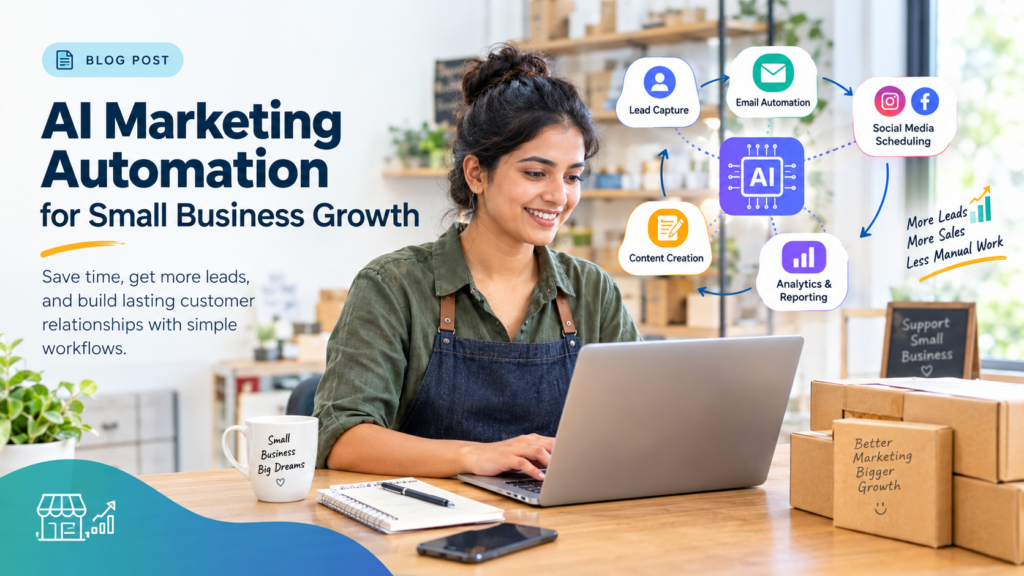
AI Marketing Automation for Digital Marketing: A Beginner’s Guide to Simple Workflows
As digital marketing becomes more data-driven, businesses and aspiring marketers are learning how to combine creativity with automation to work more efficiently. Understanding these technologies alongside core marketing principles is an important step for anyone exploring an online digital marketing course or developing practical marketing skills. AI marketing automation helps simplify repetitive tasks such as lead follow-ups, email campaigns, content planning, and performance reporting, allowing marketers to spend more time understanding customers and improving their strategies.
This beginner-friendly guide explains what AI marketing automation is, how simple workflows operate, which tools can help, and how students, freelancers, small businesses, and marketing teams can start using automation responsibly.
1. What Is AI Marketing Automation?
AI marketing automation is the use of software, predefined rules, and artificial intelligence to help businesses manage marketing activities with less manual effort. It combines traditional automation with AI capabilities such as text generation, data analysis, classification, recommendations, and conversational responses.
Imagine a small business receiving 50 inquiries in a day. A marketer might have to read every message, record contact details, identify the customer’s requirements, send a reply, and schedule a follow-up. These tasks take time, particularly when the same process repeats every day.
An automated workflow can record the inquiry, send an acknowledgment, update a customer relationship management (CRM) system, and notify the sales team. An AI component might help summarize the customer’s question or categorize the inquiry by intent. A person can then review the information and handle more complex conversations.
The important point is that AI and automation perform different but complementary roles.
Traditional automation versus AI-powered automation
| Traditional automation | AI-assisted automation |
|---|---|
| Follows predefined rules | Can interpret patterns or unstructured information |
| Sends a message when a specified condition is met | Can help personalize or draft a message |
| Moves information between connected applications | Can summarize or categorize information before passing it along |
| Produces scheduled reports | Can help identify unusual trends in the reported data |
| Requires rules for predictable decisions | Can assist with decisions that involve language or patterns, subject to review |
For example, a traditional workflow might send a welcome email whenever someone subscribes to a newsletter. An AI-assisted workflow could also help create a relevant email draft based on the subscriber’s selected interests, provided those interests are collected appropriately and the platform supports the integration.
AI does not make every marketing task automatic. Some tasks still require human judgment, approval, or manual action.
The four basic elements of an automated workflow
Most beginner-friendly workflows can be understood through four elements.
1. Trigger: The event that starts the workflow, such as a form submission, a new subscriber, or a scheduled reporting time.
2. Condition: A rule that determines what happens next. For example, the workflow might check whether a person has requested a course brochure.
3. Action: The task performed by the system, such as sending a confirmation email, updating a record, or notifying a salesperson.
4. Measurement: The process of checking whether the workflow achieves its purpose, such as reducing response time or increasing qualified inquiries.
A workflow may also contain AI-generated recommendations, approval steps, delays, branches, and error-handling rules. Platforms differ in their capabilities and subscription requirements. HubSpot’s official documentation, for example, describes workflow creation through triggers and configurable actions, with certain features dependent on the subscription.
HubSpot Knowledge Base
+1
2. Why AI Marketing Automation Matters in Digital Marketing
Digital marketing involves multiple connected activities. A single campaign may require keyword research, content creation, landing page development, advertising, lead collection, follow-up communication, and reporting.
When every task is performed manually, delays and inconsistencies can develop. Automation helps standardize repeatable processes, while AI can assist with analysis and content-related work.
Saving time on repetitive activities
Marketers frequently repeat the same actions: formatting reports, copying lead details, preparing content drafts, scheduling posts, and sending routine updates.
These tasks may be necessary, but they do not always require a person to perform every step manually.
Consider a freelancer who manages three clients. Each Monday, the freelancer collects campaign data, updates a spreadsheet, prepares a summary, and emails the results. A connected reporting workflow may collect available data and create a draft summary automatically.
The freelancer still needs to check the figures, explain changes, and recommend next steps. Automation reduces the administrative burden without removing professional responsibility.
Improving the consistency of follow-ups
A potential customer may submit a form outside normal business hours. Without a defined process, the inquiry might remain unanswered until the next working day.
An automated acknowledgment can confirm that the inquiry was received and explain when the customer can expect a response. The system can also notify the relevant team member.
However, an acknowledgment should not be confused with a complete sales conversation. Personalized advice, price negotiations, and complex customer questions often require a human response.
Supporting more relevant communication
Customers have different needs and levels of interest. A person downloading an introductory guide may need educational information, while someone requesting a product demonstration may be closer to making a purchase.
Segmentation allows marketers to organize contacts into groups based on appropriate information, such as their interests, previous interactions, or stated preferences.
AI can help categorize incoming text or suggest content variations for these groups. Marketers should still check that the personalization is accurate, respectful, and based on information the business is permitted to use.
Making campaign data easier to understand
A digital marketer may need to review website traffic, lead form submissions, email engagement, advertising costs, and conversions.
Reporting automation can organize the available information into a consistent dashboard or report. AI-assisted analysis may then help identify patterns that deserve attention.
Google Analytics documents automated insights that detect unusual changes or emerging trends in data, as well as custom insights based on conditions configured by the user.
Analytics Help
+1
These insights are useful starting points for investigation, not automatic proof of what caused a change. A decline in traffic, for example, could relate to seasonality, a tracking problem, a campaign change, or several factors at once.
3. How a Simple Marketing Automation Workflow Works
A well-designed workflow starts with a business objective rather than a particular tool.
Suppose an educational institute wants to respond more consistently to people who inquire about its digital marketing course. The objective is to acknowledge every valid inquiry, organize the contact information, and help the admissions team follow up appropriately.
Here is how the workflow might operate.
Step 1: Trigger
A prospective student submits an inquiry form.
Step 2: Collect and validate data
Check required fields, contact details, consent, and duplicate records.
Step 3: Apply conditions
Identify the inquiry type and route it to the relevant team.
Step 4: Perform an action
Send a confirmation and create a follow-up task.
Step 5: Measure results
Track response time, contact rates, qualified leads, and conversions.
Step 1: Define the trigger
The trigger should represent a clear event. In this example, it is a completed inquiry form.
Other possible triggers include a customer downloading a guide, a new contact entering a CRM, or a scheduled reporting task.
Step 2: Validate the information
The workflow should check whether the required information is present and whether the record already exists. Duplicate records can lead to multiple messages and confusion for the sales team.
AI can help interpret free-text answers, but it should not silently invent missing details or treat uncertain information as confirmed.
Step 3: Apply the conditions
A person asking about course duration may need different information from someone asking about fees or career guidance.
Simple workflows can route these inquiries using form selections or predefined rules. AI can assist with categorizing written questions, but ambiguous cases should be sent for human review.
Step 4: Take the action
The workflow might send a confirmation email, assign a follow-up task, and update the CRM record.
If marketing emails are involved, use appropriate consent and unsubscribe processes and follow the laws that apply to the recipients and business. Requirements vary by jurisdiction.
Step 5: Measure and improve
Review whether the workflow works as intended. Check whether messages are delivered, tasks are assigned correctly, and inquiries receive timely responses.
The best workflow is not necessarily the one with the most steps. It is the one that reliably solves a defined problem.
4. Ten Practical AI Marketing Automation Workflows
The following examples show how beginners can apply automation to everyday digital marketing. They are illustrative workflows; the exact setup depends on the software, account permissions, integrations, and business requirements.
Workflow 1: AI-assisted lead capture and qualification
Problem: Businesses receive inquiries through website forms, landing pages, advertisements, and social media. Managing each source separately makes it easy to overlook a potential customer.
Simple workflow:
- A person submits an inquiry form.
- The form sends the available information to a CRM or lead spreadsheet.
- The system checks for missing fields and duplicate records.
- AI may summarize the inquiry or categorize its stated purpose.
- The workflow assigns the lead to an appropriate team member.
- The team member reviews the details and follows up.
For example, a digital marketing agency could classify inquiries as SEO, paid advertising, website development, or general consultation. The category helps the agency direct each inquiry to the right person.
Useful metrics: Number of valid inquiries, percentage of records successfully captured, response time, qualified lead rate, and conversion rate.
Common mistake: Treating an AI-generated lead score as a fact. A score is an estimate based on selected signals and should be validated against actual outcomes.
Workflow 2: Automated email welcome sequences
Problem: New subscribers may not understand what a business offers or what to do next.
Simple workflow:
- A person subscribes and provides the required consent.
- The email platform records the subscription.
- A welcome message introduces the brand or resource.
- A later message shares useful educational content.
- Another message provides a relevant next step.
- The system records delivery, clicks, and unsubscribes.
AI can help draft several versions of the welcome message or adapt the language for different audiences. A marketer should check the accuracy and tone before publishing the messages.
For a learning website, the sequence could introduce a beginner’s guide, explain important digital marketing concepts, and share information about learning options.
Useful metrics: Delivery rate, click-through rate, unsubscribe rate, and meaningful actions such as resource downloads or course inquiries.
Common mistake: Sending too many messages simply because the platform allows automation. Every email should provide a clear benefit.
Workflow 3: Personalized follow-up messages
Problem: A single generic message may not answer the questions that matter most to each lead.
Simple workflow:
- A contact requests information about a particular service.
- The system records the service or topic selected.
- A relevant follow-up template is selected.
- AI may help draft a message using approved information.
- A human reviews high-value or complex inquiries.
- The workflow schedules a reminder if a response is still needed.
A person interested in SEO services might receive an explanation of an SEO audit, while someone asking about advertising might receive information about campaign objectives and measurement.
Personalization should use relevant information that the customer has supplied or that the business is otherwise permitted to use. Avoid sensitive inferences or unsupported assumptions.
Useful metrics: Reply rate, booked consultations, qualified leads, and eventual conversions.
Common mistake: Making the message sound personal by including details the customer never provided.
Workflow 4: Social media content planning and scheduling
Problem: Maintaining a consistent publishing schedule can be difficult when content ideas, approvals, creative assets, and posting dates are managed separately.
Simple workflow:
- Identify a campaign objective and audience.
- Use an AI writing assistant to brainstorm relevant topics.
- Convert selected topics into draft captions or post outlines.
- Prepare visual assets and platform-specific versions.
- Send drafts for editorial and brand approval.
- Schedule approved content using a suitable publishing tool.
- Review engagement and referral traffic after publication.
For example, a digital marketing education brand could create a weekly series explaining SEO basics, paid advertising concepts, analytics, and AI tools.
AI can help generate initial ideas, but marketers must check factual accuracy, originality, brand consistency, and image or music usage rights.
Useful metrics: Reach, engagement rate, saves, shares, referral visits, and qualified inquiries.
Common mistake: Publishing identical content across every platform without considering audience expectations or format requirements.
Workflow 5: AI-assisted blog research and content briefs
Problem: Writers spend time gathering questions, organizing keywords, planning headings, and preparing outlines.
Simple workflow:
- Choose a topic based on audience needs and search intent.
- Gather reliable source material and relevant customer questions.
- Use AI to organize the research into themes.
- Generate a proposed outline and identify missing questions.
- Verify claims against trustworthy sources.
- Write and edit the article.
- Publish it and monitor relevant performance indicators.
For a blog about marketing automation, AI might suggest separate sections for lead capture, email sequences, workflow testing, and measurement. The writer should independently verify tool features and explain where the workflow has limitations.
Useful metrics: Organic impressions, relevant search clicks, engaged visits, newsletter subscriptions, and conversions attributable to the content.
Common mistake: Publishing an AI-generated article without original analysis or factual review. A polished outline is not a substitute for research.
Workflow 6: SEO monitoring and content optimization
Problem: Website owners may struggle to notice declining search visibility, outdated information, or pages that attract visitors without generating useful actions.
Simple workflow:
- Collect available performance data from analytics and search tools.
- Monitor selected pages and keywords over time.
- Identify meaningful changes in impressions, clicks, and conversions.
- Use AI to help summarize patterns or organize possible explanations.
- Review the affected pages manually.
- Prioritize improvements based on user needs and business objectives.
- Measure results after making changes.
For example, a page might receive search impressions but few clicks. The marketer could investigate the title, description, search intent, and competing results before deciding what to change.
Useful metrics: Organic clicks, impressions, click-through rate, conversions, and relevant engagement indicators.
Common mistake: Changing a page simply because an AI tool recommends a keyword. Recommendations need to fit the topic, audience, and evidence.
Workflow 7: Customer segmentation and lead scoring
Problem: Marketing teams need to decide which messages are relevant to different groups of contacts.
Simple workflow:
- Collect appropriate information from forms and customer interactions.
- Organize contacts into meaningful segments.
- Apply transparent rules to assign priority where useful.
- Use AI to assist with summarizing or classifying permitted data.
- Send the appropriate communication or assign a follow-up task.
- Compare the outcomes across segments.
- Review and improve the segmentation rules.
A business might distinguish between people who requested a consultation, downloaded a guide, or are existing customers. These groups have different needs and should not automatically receive identical messages.
Useful metrics: Qualified lead rate, response rate, conversion rate, and customer retention.
Common mistake: Using excessive or irrelevant personal data. Start with the minimum information required for a clear business purpose.
Workflow 8: Automated marketing campaign reporting
Problem: Preparing reports manually can consume time that could be spent interpreting results and improving campaigns.
Simple workflow:
- Define the reporting period and required metrics.
- Collect data from the relevant advertising and analytics platforms.
- Consolidate the information into a dashboard or spreadsheet.
- Use AI to draft a summary of notable changes.
- Verify calculations, attribution assumptions, and data completeness.
- Add human interpretation and recommended actions.
- Share the approved report with stakeholders.
For example, an agency might prepare a weekly report containing ad spend, leads, cost per lead, and landing-page conversions. An AI assistant can help explain the main changes, but the account manager must check the source data and business context.
Useful metrics: Reporting time, data accuracy, lead quality, cost per acquisition, and return on advertising spend where appropriate.
Common mistake: Reporting a change without checking whether the tracking setup or reporting period changed.
Workflow 9: Chatbot-assisted customer support
Problem: Businesses receive recurring questions about services, delivery, schedules, policies, and pricing.
Simple workflow:
- A visitor asks a question through an approved chat interface.
- The chatbot searches a verified knowledge base or approved response set.
- It answers straightforward questions when confidence is sufficient.
- It asks for clarification when needed.
- It routes unresolved or sensitive issues to a human.
- The business reviews unanswered questions to improve its knowledge base.
An educational website could use a chatbot to direct visitors to course information, explain how to contact an advisor, or answer general questions based on approved public information.
Useful metrics: Resolution rate, escalation rate, response time, customer satisfaction, and the accuracy of answers.
Common mistake: Allowing the chatbot to invent fees, admissions policies, availability, or guarantees. Important information should come from verified sources.
Workflow 10: Lead re-engagement and customer retention
Problem: Some contacts stop interacting after an initial inquiry, while existing customers may benefit from relevant reminders or additional resources.
Simple workflow:
- Define an appropriate inactivity period or customer event.
- Check contact preferences and whether communication is permitted.
- Identify the relevant segment.
- Prepare a useful, appropriately timed message.
- Provide a clear action or preference-management option.
- Record responses and suppress further messages when required.
- Evaluate whether the campaign provides genuine value.
For example, a subscriber who has not opened recent educational emails might receive a carefully selected resource rather than repeated generic reminders.
Useful metrics: Re-engagement rate, conversions, unsubscribes, complaints, and customer retention.
Common mistake: Continuing to message people who have opted out or using misleading subject lines to attract attention.
These ten workflows illustrate a useful principle: automation works best when it has a clear trigger, a defined outcome, reliable data, and a process for handling exceptions.
5. How to Build Your First AI Marketing Automation Workflow
Beginners do not need to automate an entire marketing department at once. Starting with one repetitive task makes the process easier to understand, test, and improve.
Step 1: Choose a small problem
Write down the task you want to improve. Examples include recording inquiries, preparing weekly reports, scheduling approved posts, or sending welcome emails.
Avoid starting with a complicated, multi-platform workflow before you understand the basic process.
Step 2: Define the objective
A useful objective describes the desired business result.
For example:
- Ensure every valid inquiry is recorded.
- Reduce the time between receiving an inquiry and acknowledging it.
- Reduce manual work involved in preparing a weekly report.
- Make sure approved social posts are published on schedule.
Choose a metric that helps determine whether the workflow is successful.
Step 3: Map the existing process
Write down what currently happens from beginning to end.
For an inquiry process, this might include receiving a form submission, checking the contact details, entering the information into a spreadsheet, notifying the admissions team, and responding to the person.
Identify which steps are repetitive, which require judgment, and which are prone to errors.
Step 4: Select suitable tools
Choose software based on the task, budget, data requirements, and integrations.
A beginner might need only a form, a spreadsheet, and an email service. A larger organization might require a CRM and a dedicated workflow platform.
Do not assume every application can connect directly to every other application. Confirm the required integration, access permissions, subscription limitations, and data-handling arrangements before implementation.
Step 5: Configure triggers and actions
A simple inquiry workflow could follow this logic:
WHEN a valid inquiry form is submitted:
    Check required fields.
    Check for an existing contact.
    Save the inquiry to the approved CRM.
    Send an acknowledgment if permitted.
    Create a follow-up task.
    Notify the responsible team member.
    Record workflow status.

IF required information is missing:
    Flag the record for review.

IF the workflow fails:
    Log the error and notify the administrator.
This is illustrative pseudocode, not a configuration that can be pasted into every platform. The actual setup depends on the selected software.
Step 6: Add AI only where it provides value
AI may help summarize a free-text inquiry, classify a question, draft a reply, or prepare a report.
Ask whether the task genuinely benefits from AI. If a simple rule can perform the task accurately, adding an AI component may create unnecessary cost and complexity.
For example, automatically routing a form based on a dropdown selection may not require AI. Interpreting a paragraph written by a customer may be a more suitable AI-assisted task.
Step 7: Test before launch
Create test records representing ordinary cases, incomplete submissions, duplicate contacts, unexpected text, and workflow failures.
Verify that messages reach the correct recipients, records are saved properly, and the workflow does not create duplicate tasks or send repeated messages.
Keep human approval in place for actions that could affect customers, spending, legal obligations, or important business decisions.
Step 8: Launch gradually
Begin with a limited set of contacts or a controlled internal test. Monitor the workflow and compare its results with the original process.
If the workflow behaves as expected, expand it carefully. Keep a documented way to pause the automation or switch back to a manual process.
Step 9: Measure and improve
Review performance at a regular interval. Check not only time saved but also quality, errors, customer experience, and business outcomes.
A workflow that sends messages faster but increases complaints is not necessarily an improvement. Sustainable automation balances efficiency with relevance and reliability.
6. AI Marketing Automation Tools and Their Uses
The right tool depends on what you want to automate. Beginners should understand the main categories before paying for a complicated platform.

1. AI writing assistants
Help brainstorm blog topics, draft captions, summarize research, and create email variations. They are useful for first drafts, but facts, originality, tone, and claims require human review.

2. Email marketing platforms
Organize subscribers, schedule campaigns, create welcome sequences, and monitor engagement. Some platforms support conditional workflows and audience segmentation.

3. CRM and lead management systems
Store contact records, track conversations, assign tasks, and manage sales pipelines. They help teams maintain a consistent view of customer interactions.

4. Workflow integration platforms
Connect supported applications and transfer information between them. They can help link forms, spreadsheets, notifications, and other services without building every connection from scratch.

5. Social media scheduling tools
Organize content calendars, schedule approved posts, and track available engagement metrics. AI features may assist with ideation, captions, or recommendations depending on the platform.

6. Analytics and reporting tools
Collect and display performance information. Some tools provide automated alerts or insights that help marketers investigate unusual changes in campaign results.
How should beginners choose a tool?
Before selecting software, ask five questions:
- Does it solve the problem you have identified?
- Can it connect to the applications you already use?
- Is the required functionality available within your budget?
- Can you protect customer data and control access appropriately?
- Can you test, monitor, and stop the workflow if something goes wrong?
Start with the simplest suitable setup. The goal is not to collect the largest number of AI tools; it is to build a reliable process that produces useful results.
7. AI Marketing Automation Examples for Different Businesses
The same technology can support very different objectives depending on the business.
Small local business
A local service provider might receive inquiries through its website and business profile. A basic workflow can record each inquiry, send a confirmation, and notify the owner.
The owner can then personally discuss the customer’s requirements and prepare a quotation.
Main benefit: More organized inquiries and fewer missed follow-ups.
E-commerce business
An online store may use automation to send order confirmations, provide delivery updates, and share relevant product recommendations where appropriate.
AI might help classify product feedback or summarize common customer questions. Transactional messages and promotional messages should be managed according to their respective requirements.
Main benefit: More consistent customer communication and easier analysis of recurring questions.
Digital marketing agency
An agency managing several clients can standardize weekly reporting, content approval reminders, and campaign monitoring.
For example, the system might collect performance figures and prepare a draft report for each client. An account manager reviews the data, explains changes, and approves the final document.
Main benefit: Less repetitive administration and more time for strategy.
Educational institute
An educational institute can organize course inquiries by topic, schedule admissions follow-up tasks, and answer common questions using verified course information.
If a visitor asks about fees or eligibility, the system should use current, approved information rather than inventing an answer. Uncertain questions should be directed to the admissions team.
Main benefit: A more organized inquiry process and clearer communication with prospective students.
Freelancer managing multiple clients
A freelancer might use a content calendar, reusable reporting templates, and automated task reminders to manage multiple projects.
AI can help draft content ideas or summarize campaign observations. The freelancer remains responsible for reviewing the work and ensuring that each client’s brand requirements are respected.
Main benefit: Better organization without unnecessarily increasing administrative work.
These examples show that effective automation does not have to be complicated. One well-designed workflow can be more useful than several loosely connected tools.
8. Benefits and Limitations of AI Marketing Automation
AI marketing automation offers real opportunities, but it is not a guaranteed shortcut to better business results.
| Potential benefit | Limitation to consider |
|---|---|
| Less repetitive manual work | Setup and maintenance require time |
| More consistent follow-ups | Poor rules can create repeated or irrelevant messages |
| Faster content drafting | AI can produce inaccurate or generic content |
| Easier data organization | Incorrect or incomplete data affects the output |
| More visible campaign trends | Correlation does not establish the cause of a change |
| Personalized communication | Inappropriate data use can damage trust |
| Repeatable reporting | Incorrect tracking can produce misleading reports |
Productivity is not the same as effectiveness
A team might publish more social media posts after introducing AI. That does not automatically mean the content reaches the right audience or generates qualified leads.
Similarly, a business may send emails more quickly without improving customer satisfaction.
Measure the quality of the outcome alongside the amount of work completed. Depending on the workflow, useful measures might include qualified inquiries, conversions, customer satisfaction, error rates, and time saved.
Privacy and responsible data use
Marketing workflows often process contact details, preferences, and behavioral information. Businesses should collect only the information they need, restrict access, and establish appropriate retention and deletion practices.
They should also verify applicable privacy, marketing, and communication requirements before launching a workflow. Requirements differ across jurisdictions and types of data.
Human review remains essential
AI can help with classification, drafting, and analysis, but it can misunderstand a customer’s request or generate a convincing but inaccurate statement.
Human review is especially important for public-facing content, sensitive customer interactions, financial commitments, legal matters, and decisions that significantly affect individuals.
The best approach is to automate routine steps while preserving human responsibility for important decisions.
9. Common AI Marketing Automation Mistakes to Avoid
Even a useful workflow can create problems if it is designed carelessly.
Mistake 1: Automating a broken process. If the existing process is confusing, automation may simply make the confusion happen faster. Document and simplify the process first.
Mistake 2: Using poor-quality data. Missing fields, duplicate records, and outdated contact details can lead to incorrect actions. Add validation checks and regularly review the data.
Mistake 3: Sending excessive messages. Multiple workflows can accidentally contact the same person too often. Set communication limits, coordinate campaigns, and honor opt-out preferences.
Mistake 4: Publishing unreviewed AI content. Generated text may contain incorrect claims or fail to reflect the brand’s expertise. Verify important statements and edit for originality and usefulness.
Mistake 5: Ignoring failed integrations. A connection may stop working or lose permission. Use error notifications, test important actions, and maintain a manual fallback process.
Mistake 6: Tracking vanity metrics alone. Views, clicks, and followers can provide context, but they may not reflect business value. Connect reporting to relevant objectives such as qualified leads or sales.
Mistake 7: Giving AI too much authority. A tool should not independently make every decision simply because automation is possible. Define approval requirements and restrict access to consequential actions.
Mistake 8: Forgetting email compliance. Marketing email rules vary by country. For example, the US Federal Trade Commission’s CAN-SPAM guidance covers commercial email requirements such as truthful headers, appropriate subject lines, and an effective opt-out mechanism. Businesses should check the laws applicable to their own operations.
Federal Trade Commission
+1
A reliable workflow includes safeguards, monitoring, and a clear owner who is responsible for fixing problems.
10. Skills Needed to Work With AI Marketing Automation
Learning to use an AI tool is only one part of becoming a capable digital marketer. Effective automation requires an understanding of the marketing activity being automated.
Digital marketing fundamentals
Marketers should understand audience research, positioning, customer journeys, and campaign objectives. Without this foundation, it is difficult to determine whether a workflow supports the right goal.
SEO and content strategy
SEO knowledge helps marketers understand search intent, keyword relevance, content quality, and organic performance. AI can assist with research and organization, but content decisions still require judgment.
Email marketing and CRM
These skills help professionals organize contacts, understand segmentation, design useful email sequences, and manage customer relationships responsibly.
Analytics and reporting
Marketers need to understand metrics, conversion tracking, attribution limitations, and the difference between activity and outcomes.
Prompt writing and workflow design
Clear instructions help AI tools produce more relevant drafts and summaries. Workflow design requires an additional skill: translating a business process into triggers, conditions, actions, and exceptions.
Critical thinking and communication
A marketer must recognize when an AI output is inaccurate, explain findings to colleagues, and decide when human intervention is necessary.
For students and career changers, these skills are best developed together. Knowing how to write an effective campaign, measure its results, and interpret customer needs is more valuable than simply knowing which button to press in an automation platform.
11. Learning Digital Marketing With DGmark Institute
Understanding AI marketing automation becomes easier when learners first understand the broader digital marketing activities that automation supports.
DGmark Institute offers an online digital marketing learning option through its official website. Its published online course page describes practical learning across areas such as SEO, social media marketing, content creation, advertising, analytics, and AI tools. Learners can review the current program information directly on the DGmark Institute online digital marketing course page.
Dgmark Institute
+1
A structured learning path can help beginners understand how different parts of a campaign work together. For instance, a student who understands landing pages, lead generation, email marketing, and analytics is better positioned to design a workflow that connects these activities.
When evaluating a course, learners should look beyond the number of tools mentioned in the curriculum. Consider whether the program provides opportunities to practise marketing concepts, interpret campaign results, and understand how to apply tools to real tasks.
Before enrolling, check the official website for the latest course duration, delivery format, fees, curriculum, eligibility criteria, and support arrangements. These details may change, so they should be verified directly rather than assumed.
Most importantly, use formal learning as a starting point for experimentation. Practise with a small project, document the workflow, test the output, and evaluate whether it solves a genuine marketing problem.
12. The Future of AI Marketing Automation
AI marketing automation is likely to continue evolving as software platforms improve their ability to process information, coordinate tasks, and support decisions.
Several developments are worth watching.
More connected customer journeys
Businesses may increasingly connect website interactions, CRM records, email communication, and campaign reporting into coordinated processes. Better integration can reduce manual work, although data quality and permissions remain important.
More useful campaign analysis
AI-assisted reporting may help marketers identify unusual performance patterns and generate questions for further investigation. The marketer will still need to verify the underlying data and determine the appropriate response.
Greater demand for practical skills
As more tools make content drafting and routine tasks accessible, marketers will need to distinguish themselves through strategic thinking, audience understanding, experimentation, and responsible data use.
Human oversight will remain important
Automation can increase speed, but customers still expect accurate information, relevant communication, and accountability. Businesses that combine efficient workflows with genuine human judgment are better positioned to use AI responsibly.
The future is not simply about automating as much as possible. It is about choosing the right tasks, using suitable tools, and maintaining the quality of the customer experience.
Conclusion
AI marketing automation for digital marketing helps businesses and professionals organize repetitive activities, improve consistency, and make better use of available information. Simple workflows for lead capture, email follow-ups, social media scheduling, content planning, SEO monitoring, and campaign reporting can provide a practical starting point.
Beginners should start with one clearly defined task, map the existing process, choose suitable tools, test the workflow, and measure the results. AI should support—not replace—human judgment, factual verification, and responsible customer communication.
For students and professionals who want to build these capabilities, learning digital marketing fundamentals alongside practical AI tools provides a useful foundation. Exploring resources such as DGmark Institute’s online digital marketing course can be one way to investigate structured learning options.
The most effective workflow is not the most complicated one. It is the one that reliably solves a real problem, protects customer trust, and gives marketers more time to focus on meaningful work.
Frequently Asked Questions
1. What is AI marketing automation?
AI marketing automation combines automated processes with artificial intelligence to support marketing tasks such as content drafting, lead categorization, customer communication, and performance analysis.
2. How does AI marketing automation work?
A workflow starts with a trigger, checks relevant conditions, performs one or more actions, and records the outcome. AI may assist with interpreting information, generating drafts, or identifying patterns.
3. Which AI marketing automation workflow should beginners try first?
A welcome email or inquiry acknowledgment workflow is a practical starting point. It has a clear trigger, a simple action, and measurable results.
4. What are common examples of marketing automation?
Common examples include email welcome sequences, lead assignment, scheduled social media posts, campaign reporting, chatbot responses, and customer re-engagement campaigns.
5. Can small businesses use AI marketing automation?
Yes. Small businesses can begin with affordable tools and straightforward tasks, such as recording inquiries or sending approved follow-up messages. They should confirm tool costs and limitations before choosing a platform.
6. Which tools are used for marketing automation?
Common categories include AI writing assistants, CRM platforms, email marketing systems, workflow integration tools, social media schedulers, and analytics platforms. The right combination depends on the business’s needs.
7. Does AI marketing automation replace digital marketers?
No. It can assist with repetitive tasks and analysis, but marketers still need to understand customers, develop strategies, verify information, and make responsible decisions.
8. How can marketers measure automation performance?
Depending on the workflow, they can measure response time, error rate, qualified leads, conversion rate, email engagement, customer satisfaction, and time saved.
9. What skills are needed to learn AI marketing automation?
Useful skills include digital marketing fundamentals, SEO, email marketing, CRM management, analytics, prompt writing, workflow design, critical thinking, and data privacy awareness.
10. How can an online digital marketing course help beginners?
A structured course can help learners understand the main marketing channels, tools, and measurement methods. Learners should evaluate the curriculum and practical learning opportunities before enrolling.